

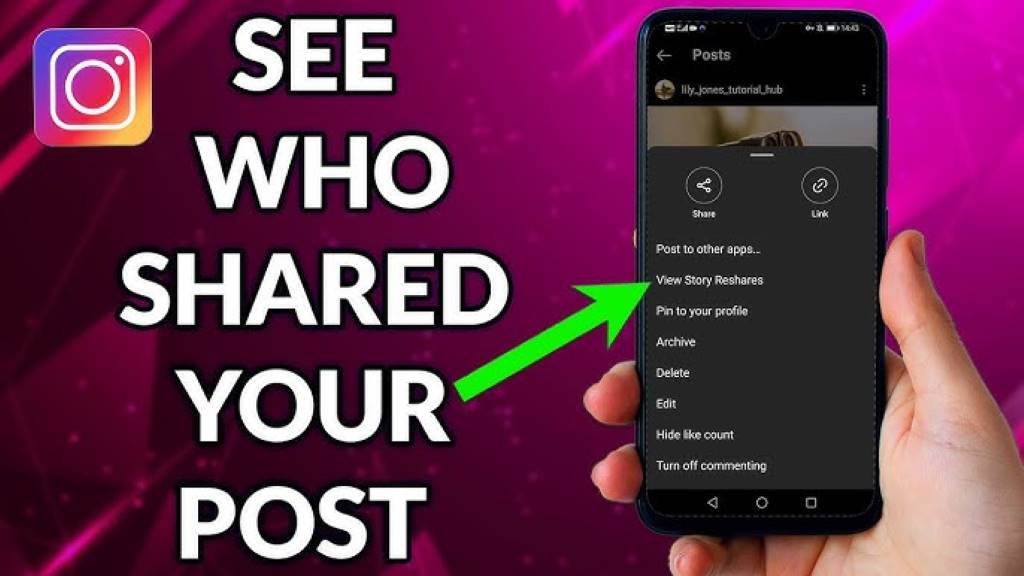
Instagram is one of the most popular social media platforms, offering users a space to share photos, videos, and stories. Many creators, influencers, and businesses often wonder how to see who shared their Instagram post. Knowing who shared your post can provide valuable insights into how your content is being received and help you build stronger engagement strategies. Unfortunately, Instagram doesn’t offer a direct way to see who has shared your post, but there are ways around this. In this blog post, we’ll explore how to see who shared your Instagram post, some workarounds, and ways to track your content’s performance effectively.
Why Knowing Who Shared Your Instagram Post Matters
When you post something on Instagram, it’s easy to see who liked or commented on it. But discovering who shared your Instagram post can be even more valuable. Why? Well, shares mean your content is resonating with your audience enough for them to pass it on. This can boost your reach, expand your followers, and potentially increase your brand visibility.
Tracking who shared your post can provide useful data about your audience’s preferences and interests. It’s a great way to see which posts are performing the best and which are sparking the most conversation or interest. In turn, this data can help you fine-tune your content strategy.
Can You See Who Shared Your Instagram Post?
Unfortunately, Instagram doesn’t make it easy for users to see exactly who has shared their posts. There’s no native feature on Instagram that allows you to view a list of users who have shared your content. This can be frustrating, especially if you’re trying to assess the impact of your posts. However, there are a few workarounds that can help you get the insights you’re looking for.
For example, if you’ve shared your content via Instagram Stories, you may be able to see who shared it through the Story views. Similarly, business accounts can track post engagement and analyze which types of content get shared more. Despite Instagram’s lack of a direct feature for seeing who shares posts, there are still ways to gather useful data and measure the effectiveness of your content.
How to See Who Shared Your Instagram Post (Workarounds)

Since Instagram doesn’t allow users to see a complete list of people who shared their posts, you’ll have to rely on workarounds. Let’s explore a few methods you can use.
1. Checking Instagram Stories Insights (For Business Accounts)
If you have a business account on Instagram, you have access to Instagram Insights, which gives you analytics on how your posts are performing. While you can’t directly see who shared your posts, you can see how your post is doing overall, including:
- Reach: The number of unique accounts that have seen your post.
- Impressions: The total number of times your post has been viewed.
- Shares: The number of times your post has been shared to others.
This share count isn’t specific to who shared it, but it can give you a clear idea of how often your content is being passed around.
2. Using Third-Party Tools for Instagram Analytics
Several third-party tools provide detailed Instagram analytics that go beyond what Instagram offers by default. These tools can help you track shares, reach, and engagement. Some popular tools to consider are:
- Hootsuite
- Sprout Social
- Iconosquare
These tools offer more detailed insights into your content’s performance and allow you to analyze the reach and impact of your Instagram posts. However, while they may help you track engagement, they still won’t reveal the specific accounts that shared your post.
How to Maximize Shares on Instagram
Although Instagram doesn’t offer a direct way to see who shared your Instagram post, you can increase your chances of being shared. Here are a few tips to help you maximize shares and reach:
1. Create Shareable Content
Content that sparks emotions or offers value is more likely to be shared. Whether it’s inspirational quotes, funny memes, or helpful tutorials, the more relatable your content is, the higher the chances of it being shared.
2. Use Hashtags Strategically
Hashtags increase the discoverability of your posts. Make sure to use relevant hashtags that are trending and related to your niche. This increases the likelihood of your content being found by people who may want to share it with their followers.
3. Encourage Sharing
Directly ask your followers to share your content. Phrases like “Tag a friend who would love this” or “Share this post with someone who needs to see it” can motivate your audience to spread your content further.
How to Track the Performance of Your Instagram Post
Even though you may not be able to see who shared your Instagram post, there are several ways to measure your content’s performance effectively.
1. Monitor Engagement Rate
The engagement rate is a key metric in evaluating your Instagram post’s performance. It shows how well your audience is interacting with your content. A higher engagement rate typically indicates a more successful post, while a low engagement rate might signal the need for a change in your content strategy.
To calculate the engagement rate, use this formula:
Engagement Rate=Likes + CommentsFollowers×100\text{Engagement Rate} = \frac{\text{Likes + Comments}}{\text{Followers}} \times 100
2. Track Link Clicks in Instagram Bio
If you add a link to your post in your bio (e.g., for a product or blog post), you can track how many clicks you get on that link. Tools like Google Analytics or Bit.ly can help you measure link performance and understand how much traffic is coming from your posts.
Conclusion
While it’s not possible to directly see who shared your Instagram post, there are various ways to gather insights about your content’s reach and effectiveness. By leveraging Instagram Insights (for business accounts), third-party analytics tools, and focusing on creating shareable content, you can increase your chances of being shared and keep track of your content’s performance. Keep experimenting with different strategies, and over time, you’ll get better at understanding what resonates with your audience.
If you’re serious about growing your Instagram presence, start analyzing your posts and engagement trends today. If you have any questions or want to share your experiences with seeing how your posts perform, drop a comment below!
FAQs
How can I see who shared my Instagram post?
Unfortunately, Instagram doesn’t allow users to see exactly who shared their posts. However, you can check your post’s share count in Instagram Insights if you have a business account.
Can I track how many times my Instagram post was shared?
Yes, if you have a business account, you can track how many times your post has been shared through Instagram Insights.
Does Instagram notify me if someone shares my post?
No, Instagram doesn’t send notifications when someone shares your post. You can only see the total number of shares through Instagram Insights.
What third-party tools can help me track Instagram shares?
Tools like Hootsuite, Sprout Social, and Iconosquare offer more detailed insights into your Instagram performance, including engagement and share tracking.
How can I encourage more people to share my Instagram posts?
Create engaging and shareable content, use relevant hashtags, and directly ask your followers to share your posts by adding call-to-actions in your captions.




