

Snowflake is a leading cloud-based data platform that empowers businesses to store, process, and analyze data efficiently. For organizations leveraging Snowflake, understanding account usage is critical to managing costs and optimizing performance. Whether you’re a data engineer, analyst, or business leader, grasping how Snowflake’s account usage works can help you make informed decisions about resource allocation and cost management. At Cakra Studio, we specialize in helping businesses navigate complex data platforms like Snowflake to drive growth and efficiency.
This article explores the ins and outs of Snowflake account usage, breaking down costs, credits, and optimization strategies in a clear and actionable way. By the end, you’ll have a solid understanding of how to monitor and manage your Snowflake account effectively.
Understanding Snowflake Account Usage
Snowflake account usage refers to how your organization consumes resources within the Snowflake platform, including compute, storage, and data transfer. These resources are measured in credits, which directly impact your costs. But what is Snowflake account usage? It’s the way Snowflake tracks and bills for the services you use, such as running queries, storing data, or transferring data across regions. By understanding account usage, you can optimize your workflows and avoid unexpected expenses.
Snowflake operates on a pay-as-you-go model, which provides flexibility but requires careful monitoring to control costs. The platform separates compute and storage, allowing you to scale each independently. This unique architecture is one of Snowflake’s key strengths, but it also means you need to understand how each component contributes to your overall usage.
How Snowflake Costs Are Calculated
Snowflake’s pricing model is based on three main components: compute, storage, and data transfer. Each of these is billed differently, and understanding them is essential for managing your account usage effectively.
Compute Costs
Compute costs are tied to the virtual warehouses you use to process queries and perform data operations. These warehouses consume credits based on their size (e.g., X-Small, Medium, Large) and the duration they’re active. For example, a larger warehouse running complex queries will consume more credits than a smaller one handling simple tasks. To minimize compute costs, you can suspend warehouses when not in use or use auto-scaling to adjust resources dynamically.
Storage Costs
Storage costs are based on the amount of data you store in Snowflake, including databases, tables, and files in internal stages. Unlike compute costs, storage is billed per terabyte per month. Compression techniques can significantly reduce storage needs, so optimizing your data structure is a smart way to lower costs. Additionally, Snowflake’s time travel and fail-safe features, which allow you to access historical data, also contribute to storage costs.
Data Transfer Costs
Data transfer costs apply when you move data between regions or cloud providers (e.g., AWS, Azure, Google Cloud). These costs are typically lower than compute and storage but can add up if you frequently transfer large datasets. To optimize, consider keeping data within the same region or cloud provider whenever possible.
Snowflake Credits: The Currency of Usage
Snowflake uses credits as its billing unit for compute resources. Each credit represents a unit of compute power, and the number of credits consumed depends on the warehouse size and runtime. For instance, an X-Small warehouse consumes one credit per hour, while a Large warehouse consumes eight credits per hour. Understanding this relationship is key to managing your account usage effectively.
Credits are not used for storage or data transfer, which are billed separately in dollars per terabyte. However, keeping track of credit consumption can help you identify inefficiencies, such as oversized warehouses or long-running queries. Snowflake provides tools like the Account Usage dashboard to monitor credit usage in real-time.
Strategies for Optimizing Snowflake Account Usage
Optimizing your Snowflake account usage can lead to significant cost savings and improved performance. Here are some practical strategies to consider:
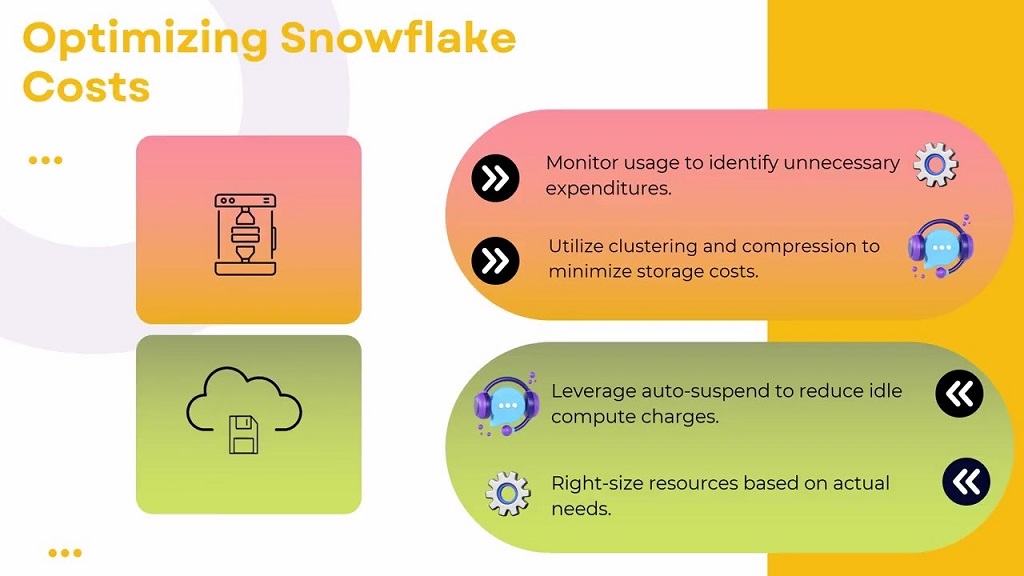
- Right-Size Your Warehouses: Choose the appropriate warehouse size for your workload. For light queries, use smaller warehouses to save credits. Reserve larger warehouses for complex, resource-intensive tasks.
- Leverage Auto-Scaling: Enable auto-scaling to adjust compute resources dynamically based on demand. This ensures you only pay for what you need.
- Suspend Idle Warehouses: Configure warehouses to auto-suspend after a period of inactivity. This prevents unnecessary credit consumption.
- Optimize Queries: Write efficient SQL queries to reduce processing time. Avoid selecting unnecessary columns or using overly complex joins.
- Use Compression: Compress data to reduce storage costs. Snowflake’s built-in compression can significantly lower the amount of storage required.
- Monitor Usage Regularly: Use Snowflake’s Account Usage dashboard to track credit consumption, storage, and data transfer. Set up alerts to catch unexpected spikes in usage.
By implementing these strategies, you can balance performance and cost, ensuring your Snowflake account runs efficiently.
Tools for Monitoring Snowflake Account Usage
Snowflake provides several built-in tools to help you monitor and manage account usage. These tools offer insights into credit consumption, storage, and performance, enabling you to make data-driven decisions.
Account Usage Dashboard
The Account Usage dashboard in Snowflake’s web interface provides a comprehensive view of your resource consumption. You can see credit usage by warehouse, storage trends, and data transfer activity. The dashboard also allows you to drill down into specific time periods or users to identify cost drivers.
Query History
The Query History feature lets you analyze the performance of individual queries. By reviewing query execution times and resource usage, you can identify inefficient queries that consume excessive credits. This is particularly useful for optimizing complex data pipelines.
Resource Monitors
Resource Monitors allow you to set credit limits for warehouses or users, preventing overuse. You can configure alerts to notify you when usage approaches predefined thresholds, helping you stay within budget.
Common Challenges in Managing Snowflake Account Usage
While Snowflake’s pricing model is flexible, it can pose challenges if not managed properly. Some common issues include:
- Oversized Warehouses: Using larger warehouses than necessary can lead to wasted credits.
- Idle Resources: Forgetting to suspend warehouses can result in unnecessary costs.
- Unoptimized Queries: Poorly written queries can consume excessive compute resources, driving up costs.
- Unexpected Data Transfer Costs: Moving data across regions or clouds without planning can lead to higher bills.
To address these challenges, regularly review your usage patterns and implement the optimization strategies mentioned earlier. Additionally, consider training your team on Snowflake best practices to ensure efficient resource use.
FAQs About Snowflake Account Usage
Here are five frequently asked questions about Snowflake account usage:
What is Snowflake account usage?
Snowflake account usage refers to how resources like compute, storage, and data transfer are consumed and billed within the Snowflake platform.
How are Snowflake credits calculated?
Credits are calculated based on the size of the virtual warehouse and the time it’s active. For example, a Medium warehouse consumes four credits per hour.
Can I reduce Snowflake storage costs?
Yes, you can reduce storage costs by using compression, pruning unnecessary data, and limiting the use of time travel or fail-safe features.
What tools help monitor Snowflake account usage?
Snowflake offers the Account Usage dashboard, Query History, and Resource Monitors to track and manage resource consumption.
How can I avoid unexpected Snowflake costs?
Optimize warehouse sizes, suspend idle resources, write efficient queries, and monitor usage regularly to prevent cost overruns.
Read More Also: How to Use Google Analytics to Improve Website Conversion Rates
Conclusion
Understanding Snowflake account usage is essential for managing costs and maximizing the value of this powerful data platform. By grasping how compute, storage, and data transfer contribute to your bill, you can implement strategies to optimize resource usage. Tools like the Account Usage dashboard and Query History provide valuable insights, while techniques like right-sizing warehouses and compressing data can lead to significant savings. Whether you’re new to Snowflake or a seasoned user, proactive monitoring and optimization are key to success. With these practices in place, you can harness Snowflake’s full potential while keeping costs under control.




