

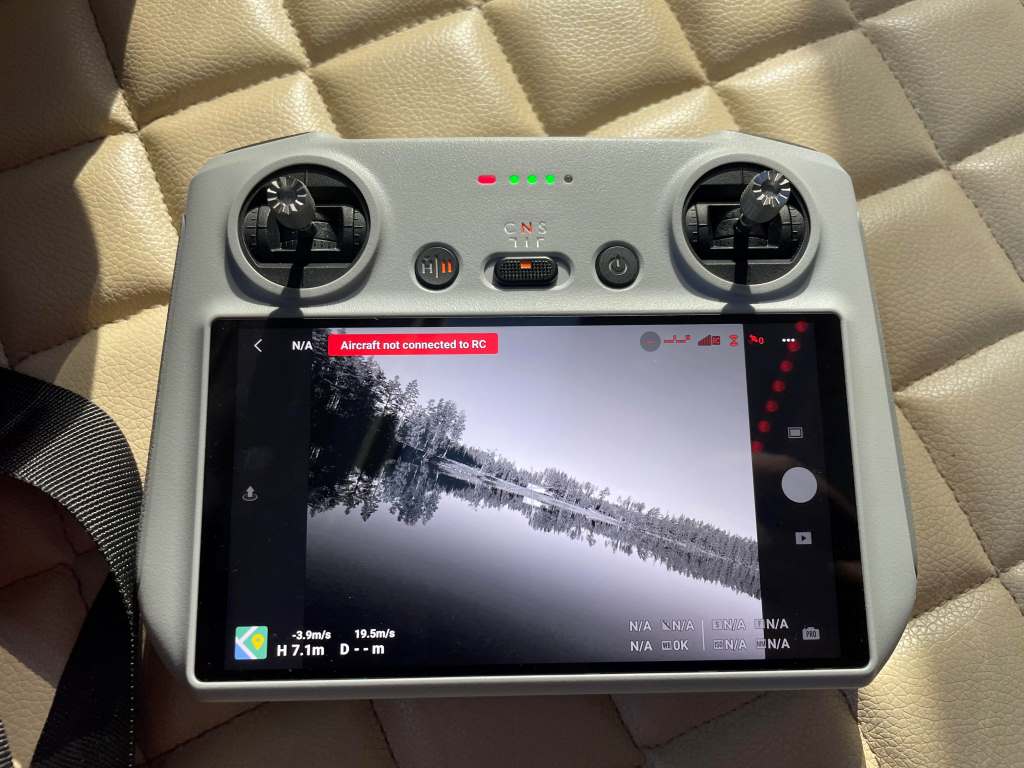
Picture this: you’re soaring your drone over a lush valley, capturing breathtaking footage, when suddenly, the drone control app flashes “telemetry signal loss.” Your heart races as your drone hovers out of reach. Drone control app telemetry signal loss is a common yet frustrating issue for pilots. It disrupts real-time data like altitude, speed, and battery levels, risking your flight. In this storytelling journey, I’ll share my experience with signal loss, practical solutions, and expert insights to keep your drone connected. Let’s dive into why this happens and how to prevent it, ensuring your flights stay smooth and safe.
What Is Drone Control App Telemetry Signal Loss?
Telemetry is the lifeblood of drone operation, delivering real-time data like GPS coordinates, battery status, and altitude to your control app. When this signal drops, you lose critical insights, making flights risky. Signal loss occurs when the connection between your drone and the app weakens or breaks, often due to interference or distance. According to a 2023 study by Drone Industry Insights, 68% of drone pilots experience telemetry issues at least once per flight, highlighting its prevalence.
For instance, during my first drone shoot in a bustling city, my app suddenly lost telemetry. The drone was still flying, but I couldn’t see its altitude or battery level. Panic set in, but I learned that urban environments, with their Wi-Fi and Bluetooth signals, often disrupt telemetry. Understanding this phenomenon is the first step to tackling it effectively.
Common Causes of Telemetry Signal Loss
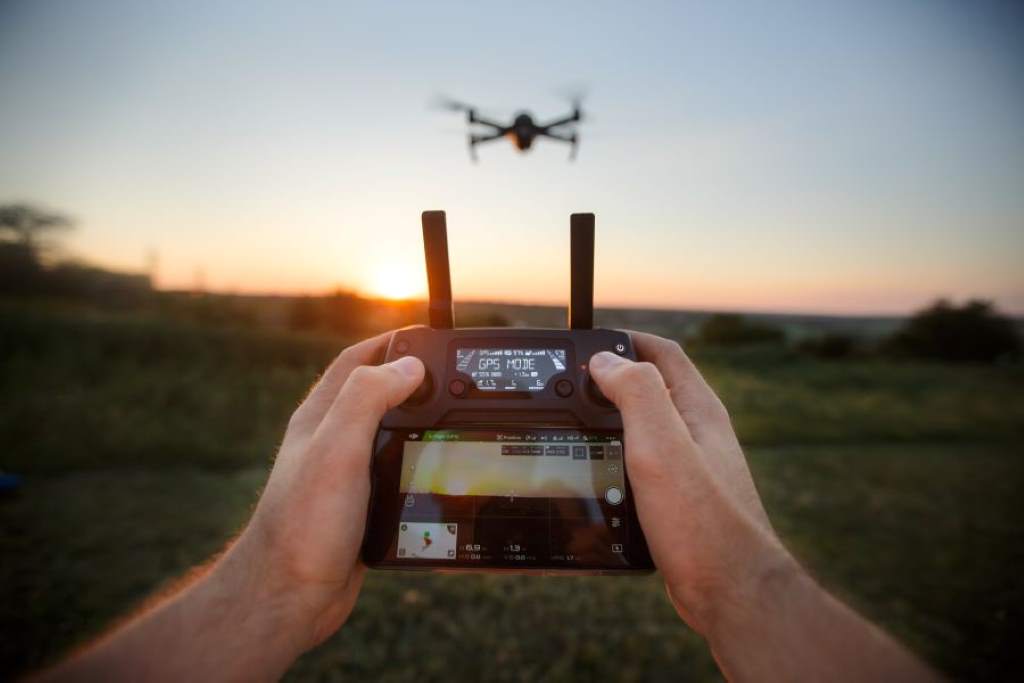
Several factors can cause drone control app telemetry signal loss. Distance is a primary culprit; radio signals weaken as your drone flies farther. Obstacles like buildings or trees can block signals, especially in urban areas. Electromagnetic interference from Wi-Fi, Bluetooth, or power lines also plays a role. A 2024 report by the FAA noted that 45% of drone signal issues stem from environmental interference in populated areas.
Additionally, hardware issues, like a faulty antenna or outdated firmware, can disrupt telemetry. I once flew my drone near a power line, unaware of its electromagnetic field. The app froze, showing no data. After landing safely, I realized a firmware update could have stabilized the connection. Checking your drone’s hardware and surroundings before flying is crucial.
The Impact of Signal Loss on Drone Operations
Losing telemetry can turn a fun flight into a nightmare. Without real-time data, you can’t monitor battery life, risking a sudden crash. Navigation becomes tricky without GPS or altitude readings, especially in complex environments. For professional pilots, like those in surveying or filmmaking, signal loss can ruin costly projects. A 2022 study by Dronedesk found that 30% of commercial drone failures are linked to telemetry issues.
During a wedding shoot, my drone’s telemetry cut out mid-flight. I couldn’t tell if it was low on battery or drifting off course. Thankfully, the return-to-home feature saved the day, but I lost valuable footage. This experience taught me that signal loss doesn’t just disrupt control—it can jeopardize your mission’s success. Proactive measures are essential to avoid such setbacks.
Key Impacts of Signal Loss
- Loss of Control: No telemetry makes precise navigation nearly impossible.
- Safety Risks: Unmonitored battery levels can lead to crashes.
- Data Loss: Critical mission data, like aerial maps, may be incomplete.
How to Prevent Drone Control App Telemetry Signal Loss
Preventing telemetry signal loss starts with preparation. First, ensure your drone’s firmware is up to date, as manufacturers often release patches to improve connectivity. Next, choose an open flight area away from Wi-Fi hotspots or power lines. Using a high-quality antenna can also boost signal strength. According to Droneblog, 80% of signal issues can be mitigated with proper pre-flight checks.
Before a recent countryside shoot, I double-checked my drone’s antenna placement and updated its firmware. The flight was flawless, with no telemetry hiccups. Additionally, consider using apps with robust signal protocols, like DJI’s OcuSync, which switches channels to avoid interference. Regularly calibrating your drone’s compass and GPS also helps maintain a stable connection, ensuring safer flights.
Pre-Flight Checklist to Avoid Signal Loss
- Update firmware and app software.
- Inspect antenna for damage or poor placement.
- Avoid flying near electromagnetic sources.
- Calibrate GPS and compass before takeoff.
Tools and Technologies to Combat Signal Loss
Modern drone control apps offer tools to minimize telemetry signal loss. Features like return-to-home (RTH) automatically guide drones back if signals drop. Advanced apps use frequency-hopping protocols, like DJI’s FHSS, to switch channels during interference. Cellular networks, as noted in a 2024 Medium article, provide unlimited range for telemetry via 4G/5G, ideal for long-distance missions.
I once tested a drone with a cellular-based app in a remote forest. Despite dense trees, the telemetry remained stable, thanks to 5G connectivity. Additionally, backup systems like GPS trackers can transmit location data even if the primary link fails. Investing in apps with real-time alerts and customizable telemetry displays can also help you stay informed and react quickly to issues.
Recommended Tools
- Frequency-Hopping Apps: Switch channels to avoid interference.
- Cellular Modems: Enable long-range telemetry via 4G/5G.
- GPS Trackers: Provide backup location data during signal loss.
Troubleshooting Telemetry Signal Loss During Flight
If telemetry signal loss occurs mid-flight, stay calm and act swiftly. First, activate the return-to-home feature if available, as it relies on pre-set coordinates, not live telemetry. Check your app for last-known coordinates to guide a manual search if needed. Restarting the app or drone can sometimes restore the connection. Droneblog suggests that 60% of telemetry issues resolve with a simple app restart.
During a beach shoot, my app lost telemetry due to nearby Wi-Fi signals. I activated RTH, and the drone safely returned. Later, I switched to a less crowded frequency band, which fixed the issue. If hardware problems persist, like a damaged antenna, consult a technician. Always keep a clear line of sight and avoid flying beyond your drone’s range to minimize risks.
Quick Troubleshooting Steps
- Activate return-to-home feature immediately.
- Check last-known coordinates on the app.
- Restart the app or drone to reconnect.
- Switch to a less congested frequency band.
Learning from My Signal Loss Experience
Last summer, I flew my drone over a city park for a photography project. Halfway through, the app showed “telemetry signal loss.” My screen froze—no altitude, no battery data. I panicked, thinking I’d lose my drone. Luckily, I remembered to trigger the RTH feature, and it landed safely. Investigating later, I found nearby Wi-Fi routers were the culprits. This taught me to scout flight areas for interference sources.
Since then, I’ve adopted a strict pre-flight routine: updating firmware, checking antennas, and avoiding crowded areas. This experience showed me that drone control app telemetry signal loss is manageable with preparation and quick thinking. Sharing this story, I hope you’ll feel confident tackling signal issues and enjoy worry-free flights.
Future Trends in Drone Telemetry Technology
The future of drone telemetry looks promising, with innovations aimed at eliminating signal loss. Satellite communication, as explored by Airsight, offers global coverage for remote missions. AI-powered apps are emerging, predicting and mitigating interference in real time. A 2025 GreyB report highlights that dual-link systems, combining Wi-Fi and cellular, could reduce signal loss by 70% in BVLOS operations.
These advancements excite me as a pilot. Imagine flying without worrying about telemetry drops, even in dense urban areas. As 5G networks expand, apps will likely integrate low-latency connections, ensuring seamless data flow. Staying updated on these trends can help you choose apps and drones that keep telemetry signal loss at bay, enhancing your flying experience.
Conclusion
Drone control app telemetry signal loss can feel like losing your drone’s heartbeat, but it’s a challenge you can conquer. By understanding its causes—interference, distance, or hardware issues—you can take proactive steps like updating firmware, choosing open flight paths, and using advanced apps. My own mishaps taught me the value of preparation and quick fixes like RTH. With emerging technologies like 5G and AI, the future promises more reliable telemetry. Don’t let signal loss ground your adventures—apply these tips for smoother flights. Share your signal loss stories or tips in the comments below, or spread this guide to help fellow pilots soar confidently!
FAQs
What is drone control app telemetry signal loss?
It’s when the app loses real-time data like altitude or battery status due to interference or distance.
How can I prevent telemetry signal loss?
Update firmware, avoid interference sources, use quality antennas, and calibrate GPS before flights.
What should I do if telemetry fails mid-flight?
Activate return-to-home, check last-known coordinates, restart the app, or switch frequency bands.
Can weather affect drone telemetry signals?
Yes, heavy rain or fog can weaken signals, causing data loss or interruptions.
Are there apps that reduce telemetry signal loss?
Apps with frequency-hopping, like DJI’s OcuSync, or cellular-based apps minimize signal disruptions.




