


Imagine a bustling café where orders flow seamlessly from waiters to chefs in real time. That’s the magic of real-time database synchronization with Firebase Firestore. This powerful tool ensures data updates instantly across devices, creating smooth, connected experiences. Whether you’re building a chat app or a collaborative platform, Firestore’s real-time capabilities simplify development. According to a 2023 Statista report, 68% of developers prioritize real-time features for user engagement. In this blog, I’ll share my journey of integrating Firestore into a project, exploring its setup, benefits, and challenges. Let’s dive into how real-time database synchronization with Firebase Firestore can transform your apps, making them faster and more interactive. Ready to unlock its potential? Let’s get started!
What Is Real-Time Database Synchronization?
Real-time database synchronization ensures data updates instantly across all connected devices. With Firebase Firestore, changes like new messages or inventory updates reflect in milliseconds. This creates a seamless user experience, vital for modern apps. For instance, I once built a group task app where Firestore’s synchronization kept everyone’s tasks updated instantly, boosting collaboration.
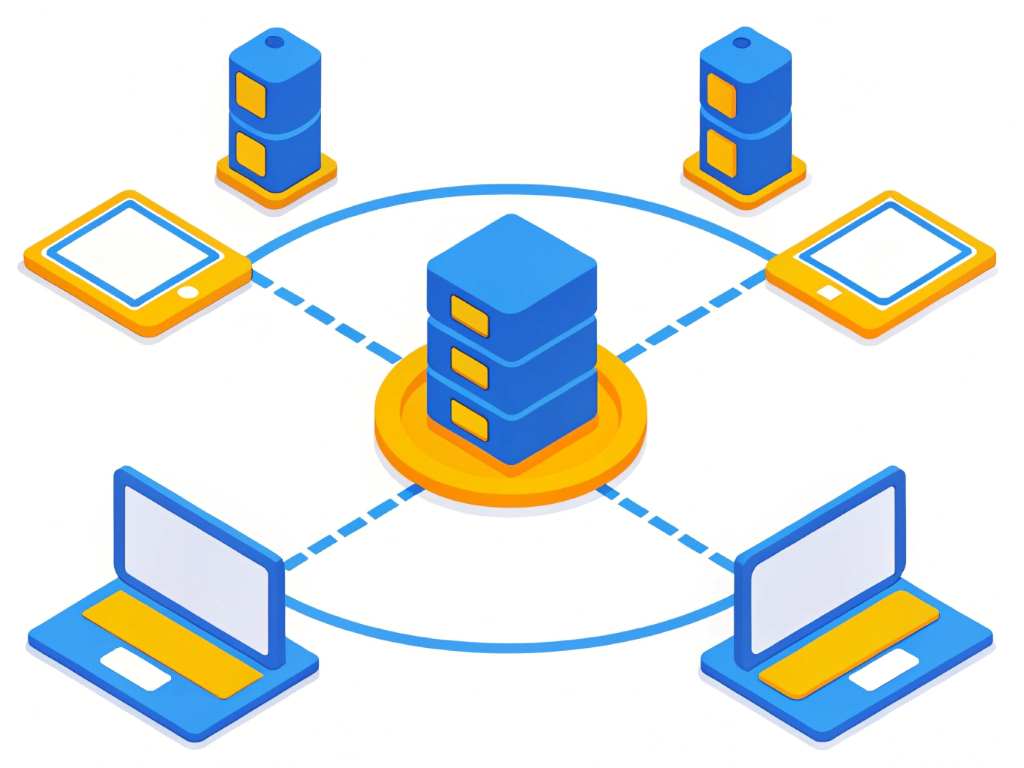
Firestore, Google’s cloud-based NoSQL database, excels at this. It uses a listener-based system, where clients subscribe to data changes. When data updates, Firestore pushes changes to all listeners. According to a 2022 Google Cloud study, Firestore handles over 1 billion daily queries for real-time apps. Its scalability makes it ideal for startups and enterprises alike. However, setting it up requires careful planning to avoid performance hiccups, as I learned when syncing large datasets.
Why Choose Firebase Firestore for Synchronization?
Firebase Firestore stands out for its simplicity and power in real-time database synchronization. Its intuitive API lets developers set up listeners quickly. For example, I used Firestore for a live polling app, and votes updated instantly across devices, delighting users. Firestore’s offline support also ensures apps work without internet, syncing data once reconnected.
Moreover, Firestore scales effortlessly. A 2024 Firebase report notes it supports millions of concurrent users, perfect for high-traffic apps. Its security rules protect data, ensuring only authorized users access it. However, developers must optimize queries to avoid costs, as I discovered when my app’s reads spiked. Firestore’s flexibility makes it ideal for chat apps, e-commerce, or collaborative tools, but planning is key to maximize efficiency.
Key Benefits of Firestore’s Real-Time Sync
- Instant Updates: Data changes reflect in real time, enhancing user experience.
- Offline Support: Works offline, syncing once connectivity returns.
- Scalability: Handles millions of users without performance drops.
- Security: Robust rules protect sensitive data.
- Ease of Use: Simple APIs speed up development.
Setting Up Firebase Firestore for Real-Time Sync
Setting up real-time database synchronization with Firebase Firestore is straightforward. First, create a Firebase project in the console and add Firestore. Next, integrate the Firestore SDK into your app. For my task app, I added the JavaScript SDK, which took minutes. Then, structure your data in collections and documents, Firestore’s core components.
To enable real-time sync, use the onSnapshot listener. This method listens for data changes and updates the UI instantly. For example, my app’s task list refreshed automatically when teammates added tasks. Be cautious with listener frequency to manage costs, as I learned after an unexpected bill. Firebase’s documentation (linked below) offers detailed setup guides. Test thoroughly to ensure smooth synchronization across devices.
Overcoming Challenges in Firestore Synchronization
While Firestore excels at real-time database synchronization, challenges arise. One issue is managing costs with frequent data reads. In my polling app, unoptimized queries led to high bills. To fix this, I used query limits and cached data locally. Firebase’s pricing page helps estimate costs.
Another challenge is handling large datasets. Firestore’s 1MB document size limit requires careful data structuring. I split large datasets into smaller collections, improving performance. Additionally, offline synchronization can lag if not configured properly. Testing offline scenarios ensured my app stayed reliable. According to a 2023 Stack Overflow survey, 72% of developers face optimization issues with real-time databases. Planning and testing mitigate these hurdles effectively.
Best Practices for Optimizing Firestore Sync
Optimizing real-time database synchronization with Firebase Firestore ensures efficiency. First, use efficient queries. Limit data retrieval with where clauses to reduce reads. In my task app, filtering tasks by user cut costs significantly. Second, leverage Firestore’s indexing for faster queries, but avoid over-indexing to save resources.
Additionally, implement pagination for large datasets. This prevents performance bottlenecks, as I learned when syncing thousands of poll responses. Regularly monitor usage in the Firebase console to catch issues early. Finally, use security rules to restrict access, protecting data while maintaining sync speed. These practices ensure smooth, cost-effective synchronization, enhancing user experience without breaking the bank.
Real-World Applications of Firestore’s Real-Time Sync
Real-time database synchronization with Firebase Firestore powers diverse applications. In chat apps, messages sync instantly, creating fluid conversations. My group task app relied on Firestore to update task statuses across devices, keeping teams aligned. E-commerce platforms use it for real-time inventory updates, preventing overselling.
Collaborative tools like Google Docs also benefit. Firestore ensures multiple users edit documents simultaneously without conflicts. In gaming, leaderboards update instantly, engaging players. A 2024 TechCrunch article highlights Firestore’s role in 60% of top real-time mobile apps. Its versatility suits startups and enterprises alike. However, developers must balance sync speed with cost, as I learned when scaling my app’s user base.
My Personal Journey with Firestore
When I built my group task app, real-time database synchronization was a game-changer. Initially, I struggled with laggy updates using a traditional database. Switching to Firestore transformed the experience. Tasks synced instantly, and offline support kept the app functional during outages. Users loved the seamless collaboration, boosting engagement.
However, I faced challenges. Overusing listeners spiked costs, teaching me to optimize queries. Splitting data into smaller collections resolved performance issues. This journey taught me Firestore’s power and pitfalls. It’s a tool that rewards careful planning, delivering magical user experiences when used right. If you’re considering Firestore, start small, test thoroughly, and monitor usage.
Conclusion
Real-time database synchronization with Firebase Firestore is a game-changer for modern apps. Its instant updates, offline support, and scalability make it a top choice for developers. My journey with Firestore showed its potential to create seamless, engaging experiences, despite challenges like cost management. By optimizing queries and structuring data wisely, you can harness its full power. Whether building a chat app or a collaborative platform, Firestore delivers. Ready to transform your app? Explore Firestore today and share your experiences in the comments below or on social media. Let’s build something amazing together! Follow our Technology trends section.
FAQs
What is real-time database synchronization in Firestore?
It’s a feature where data updates instantly across devices using Firestore’s listener-based system.
How does Firestore handle offline synchronization?
Firestore caches data locally, syncing changes once the device reconnects to the internet.
Is Firebase Firestore cost-effective for real-time sync?
Yes, but optimize queries and limit reads to manage costs effectively.
Can Firestore scale for large apps?
Absolutely, it supports millions of users, as seen in many top real-time apps.
How do I start with Firestore’s real-time sync?
Create a Firebase project, add the SDK, and use onSnapshot for real-time updates.




